How to Connect to Your PC With Android File Transfer
If you're having problems connecting to your device, you've probably downloaded Android File Transfer. This program allows you to easily transfer files from your computer to your phone. While many people use Android FileTransfer, some users are not able to connect to their phone. In such cases, you may need to uninstall this program and search for other transfer software. Fortunately, there's an easy way to solve this problem: by performing the steps described below.
Top Recommended Alternative
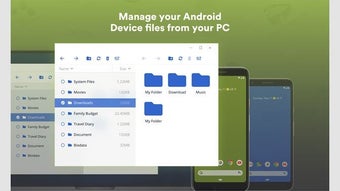
Open your PC and launch the application. Then, choose "File Transfer" from the top menu. The program will detect the data types on your device, and display them in a variety of categories. Click on the type of data you wish to transfer, and follow the instructions on the screen. Once you've selected the correct type, click on "OK." This will transfer the files to your PC. You can then delete or copy them.
Once you've finished installing Android File Transfer, connect your smartphone using a USB cable to your computer. Once connected, you'll see a window where you can browse and transfer files from your Android device. You'll need to double-click the Android drive icon to open it. You can also use the keyboard shortcut "Cmd+D" to open the File Transfer application, which will open the file manager for you. Once you've opened the app, you can drag and drop files to your computer.